Applying the Microsoft Cloud Security Benchmark to Azure Workloads

When a team asks how to apply a security benchmark, my first question isn’t which policies to enable. It’s which risks matter to the business, which workloads are in scope, and who owns the controls.
The Microsoft Cloud Security Benchmark (MCSB) is a useful way to frame that work. It brings cloud security guidance together as domains and controls, with recommendations for Azure and multicloud environments. It isn’t a product, a ready-made architecture, or a certification. Think of it as a starting point for decisions that still need to fit your workload.
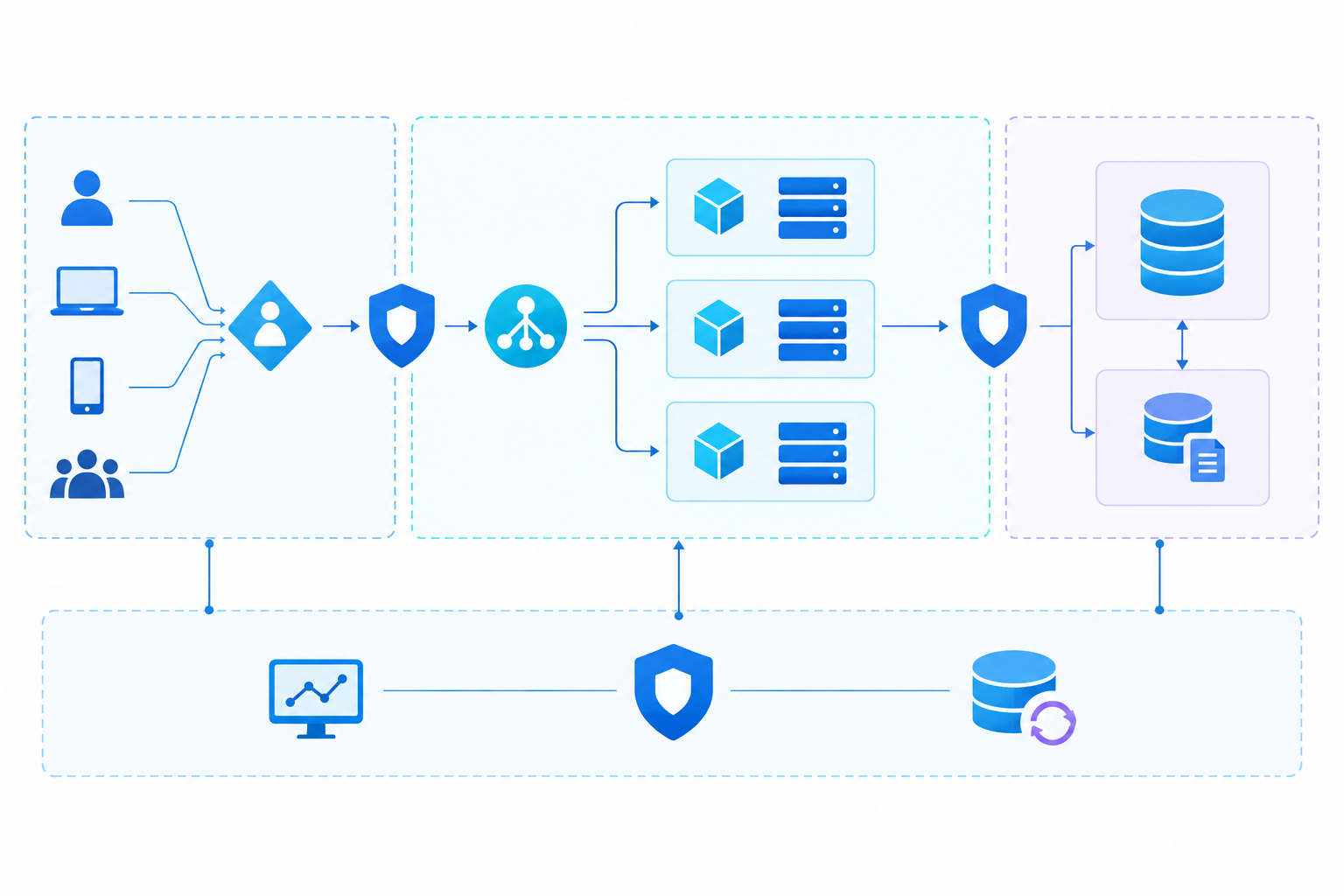
Benchmark, baseline, and compliance score
These terms are related, but they aren’t interchangeable:
- A benchmark describes security outcomes and recommended controls.
- A baseline selects and configures controls for a particular environment or workload.
- A compliance score reports how selected checks evaluate your resources. It doesn’t tell the whole story of your security posture.
The MCSB v2 is currently in preview. It adds an Artificial Intelligence Security domain and maps more than 420 built-in Azure Policy definitions to benchmark controls. Microsoft also notes that ready-made v2 baselines aren’t yet available. Teams should therefore decide which controls apply to each workload rather than assume one policy assignment covers everything.
The 12 MCSB domains
The domains give security teams a shared way to discuss cloud risks. In practice, they overlap: identity affects data access, network design affects exposure, and logging underpins incident response.
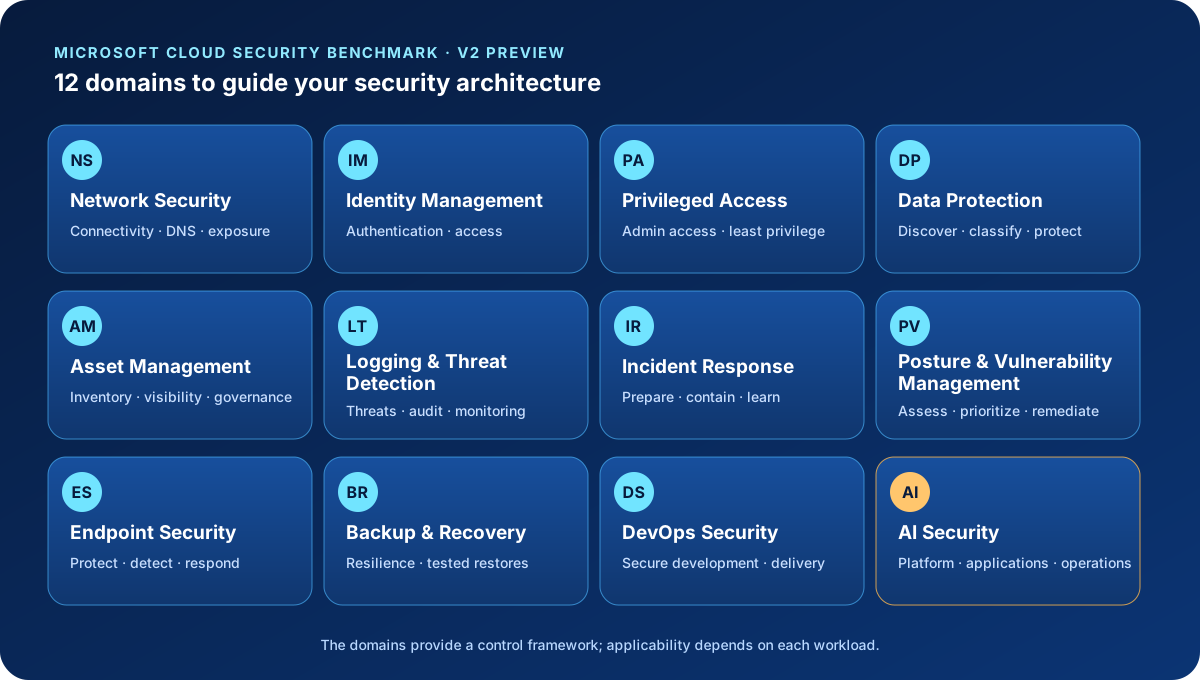
| Domain | Architectural focus |
|---|---|
| Network Security (NS) | Protect networks, connectivity, and DNS. |
| Identity Management (IM) | Authenticate users and workloads; govern access. |
| Privileged Access (PA) | Limit and protect administrative access. |
| Data Protection (DP) | Discover, classify, and protect sensitive data. |
| Asset Management (AM) | Maintain visibility and governance of cloud assets. |
| Logging and Threat Detection (LT) | Collect signals and detect suspicious activity. |
| Incident Response (IR) | Prepare for, contain, and learn from incidents. |
| Posture and Vulnerability Management (PV) | Find and address vulnerabilities and insecure settings. |
| Endpoint Security (ES) | Protect endpoints and respond to threats. |
| Backup and Recovery (BR) | Protect backups and test recovery. |
| DevOps Security (DS) | Build security into development and delivery. |
| Artificial Intelligence Security (AI) | Secure AI platforms, applications, and operations. |
The AI domain matters when a workload uses models, agents, connected tools, or grounding data. Its presence in the benchmark doesn’t make every AI control relevant to every system; first understand how the workload uses AI and where its trust boundaries lie.
Start with the control, not the policy
A benchmark control is more than the name of an Azure Policy. It describes a security outcome and may include the risk it addresses, implementation guidance, examples, criticality, and mappings to other standards.
For each control, work through five questions:
- What risk are we trying to reduce?
- Which identities, data, services, and environments are in scope?
- What combination of architecture, configuration, and operating process will address it?
- Who is accountable for implementation and ongoing operation?
- What evidence will show that the control works?
The MCSB’s Must have, Should have, and Nice to have labels can help with prioritization. They don’t replace your own risk assessment or regulatory obligations.
Applying the benchmark to an Azure workload
Consider a customer-facing application that handles sensitive data. Before choosing policies, the architecture team should agree on outcomes such as:
| Outcome | Related domains | Example evidence |
|---|---|---|
| Only authorized identities can access data and administrative functions | IM, PA, DP | Access review, authentication configuration, and privilege review |
| Network exposure matches the application’s required traffic flows | NS, AM | Network flow diagram and endpoint inventory |
| Sensitive data is identified and protected throughout its lifecycle | DP, IM | Data classification, access controls, and protection settings |
| The team can investigate and contain suspicious activity | LT, IR | Required logs, tested alerts, response runbook, and named owners |
| The service can recover from an incident or failure | BR, PV | Restore test, vulnerability assessment, and recovery plan |
| Releases pass security checks before reaching production | DS, PV | Pipeline checks, approvals, and release records |
This is an architectural example, not an official MCSB checklist. The team should adapt it to the services in use and record any exceptions and compensating controls.
Where Azure Policy and Defender for Cloud fit
Azure Policy can audit settings, deny non-compliant changes, or modify and deploy configurations. Initiatives group related policy definitions. The MCSB-to-Policy mapping is a useful place to find relevant built-ins, but check each definition’s scope, parameters, effect, version, and resource coverage before assigning it. Not every benchmark control can be enforced by policy.
Microsoft Defender for Cloud can assess supported standards and show compliance results. Check which benchmark version is enabled and what the assessment actually covers. A dashboard or score is useful evidence, but it isn’t a complete architecture review or a certification.
A practical rollout usually starts in audit mode. Review the findings and their impact, fix the highest-risk gaps, then introduce deny or remediation effects gradually. Test changes first, and grant policy-assignment identities only the permissions they need.
A few principles to keep in mind
- Use the MCSB to guide design, not as a substitute for understanding the workload.
- Assign an owner and define evidence for every control that matters.
- Automate checks where resource configuration can be measured; keep human review for decisions that depend on context.
- Record exceptions, compensating controls, and review dates.
- Track the benchmark version you use. MCSB v2 is still in preview, so check the current guidance before treating it as a fixed requirement.
Final thought
The MCSB is most useful when it connects risk to decisions teams can implement and verify. Azure Policy and Defender for Cloud can help measure parts of that work, but neither replaces security architecture or operational ownership.
The goal isn’t to make every dashboard green. It’s to understand the risks that matter, put suitable controls in place, and have evidence that they continue to work.